Most contractor websites look fine and do very little. They have a hero photo, a list of services, an about page and a contact form that nobody fills out. The business owner pays for it every month and the phone does not ring any more often.
A website that earns its keep is built around one job: get a homeowner from a search result to a phone call or a request, as fast as possible, on a phone. This checklist is what I use when I build or review a contractor site.
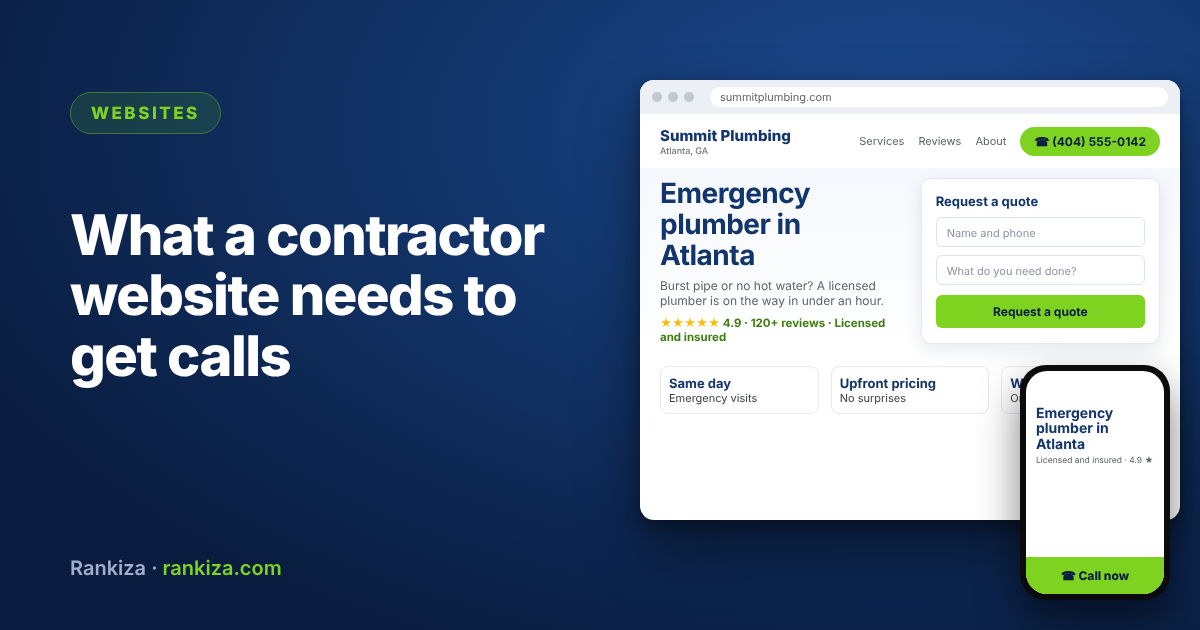
Short answer: A contractor website needs a tap-to-call button on every screen, a page for each service and each city, fast load times on mobile, visible proof such as reviews and real photos, and call and form tracking so you know what works.
1. Design for the phone first
Most local searches for home services happen on a phone, and that is where your website is judged. Open your site on your own phone, standing up, one-handed. Can you call the business within two seconds of landing? Is the text readable without zooming? Do the buttons work with a thumb?
The fix is usually simple:
- A phone number in the header that dials when tapped.
- A sticky call button that stays visible as you scroll.
- Short forms with three or four fields, not ten.
- No pop-ups that cover the page on a small screen.
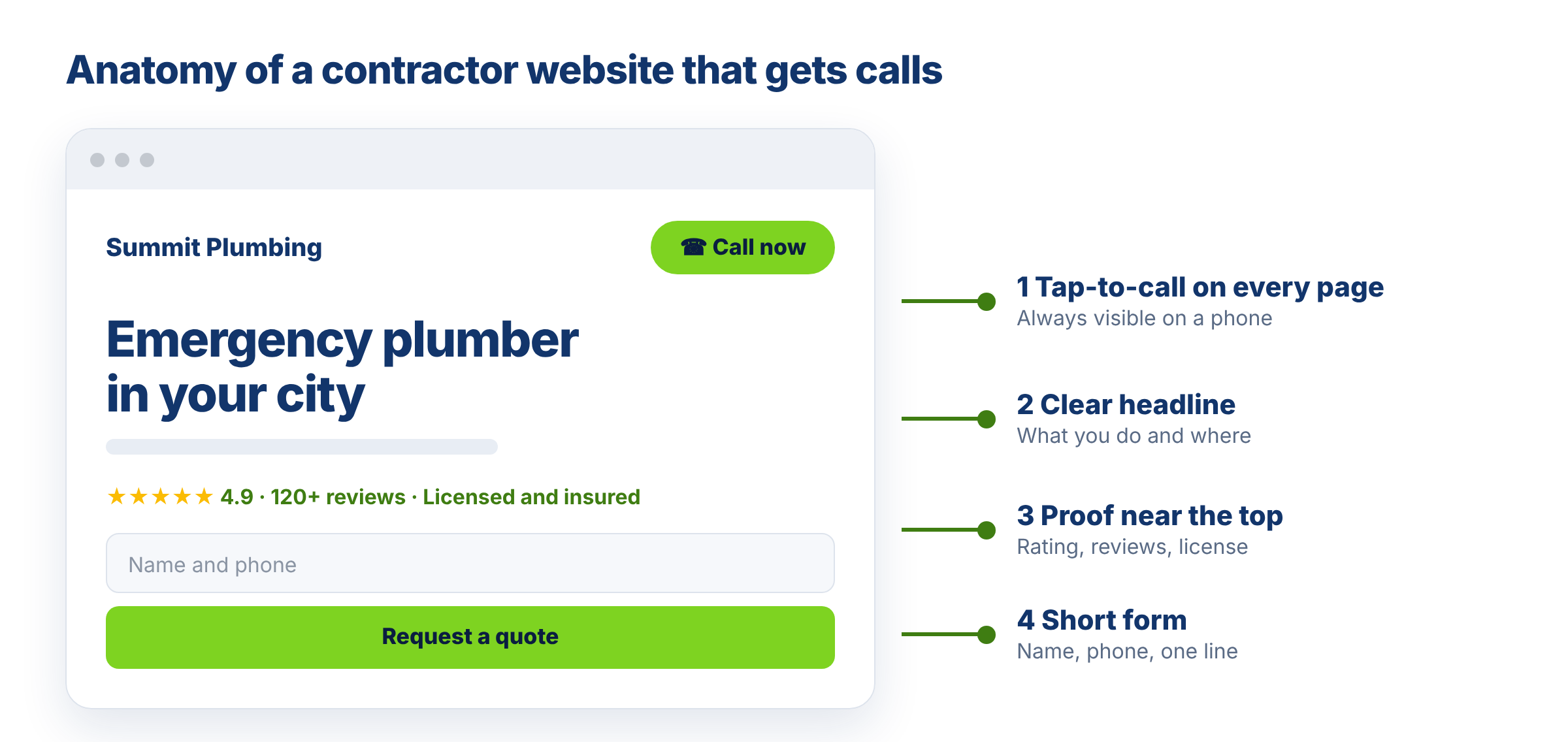
2. Say what you do and where, in the first screen
Visitors should know three things without scrolling: what you do, where you do it and how to reach you. “Emergency plumber in Charlotte, open 24 hours” does that. “Quality service you can trust” does not. Your headline should be written for the search the visitor just typed.
3. Give every service and every city its own page
A single “Services” page that lists everything is weak for search and weak for the visitor. Someone searching for “water heater replacement in Raleigh” wants to land on a page about water heater replacement in Raleigh. A page for each main service, and a page for each city or area you serve, gives Google more to match and gives the visitor a direct answer.
These pages need real content, not copied paragraphs with the city name swapped. Describe the work, the problems you see in that area, how the job goes, what to expect on price in general terms and what makes you different. If you want to see how a trade-specific page can be structured, the HVAC page and the plumbing page on this site follow that pattern.
4. Show proof where people are deciding
Trust signals belong near the top, not buried at the bottom. A contractor website should show:
- Your Google rating and review count, linked to the live profile.
- Real photos of your crew and your finished jobs.
- Licensing and insurance details where they apply.
- Years in business and the areas you serve.
- A few short customer quotes, with first name and town.
Stock photos hurt more than they help. Homeowners can tell. A slightly imperfect photo of your own truck on a real driveway beats a perfect photo of strangers shaking hands.
5. Make it fast
A slow site loses people before they read a word. The common causes on contractor sites are oversized images, too many plug-ins, heavy sliders and auto-playing video. Compress images, drop what you do not need and test the site with Google PageSpeed Insights, paying attention to the mobile score. You do not need a perfect score. You need a site that feels instant on a normal phone connection.
6. Remove the friction from the form
Forms matter for the people who would rather not call. Keep the fields to name, phone, a short description of the job and, if you need it, address or zip code. Say what happens next: “We reply within the hour during business hours.” Then make sure it does. A form that submits into an inbox nobody checks is worse than no form.
7. Track calls and forms from day one
If you cannot say how many calls and form submissions the site produced last month, you cannot improve it. At a minimum, set up Google Analytics 4 with events for click-to-call taps and form submissions, and connect it to Google Search Console. If you run ads, add call tracking so you can see which campaigns produce calls.
This is the part most small sites skip, and it is the reason owners cannot tell whether the site works. On the beach rental account I managed, analytics recorded 255 click-to-calls and about $279K in online booking revenue. Without that tracking, none of it would be visible, and I would have had no way to tell which channels deserved more budget.
8. Build the basics search engines look for
- A clear title and meta description on every page, written for the service and city.
- Your business name, address and phone number matching your Google listing exactly.
- Local business schema markup, so search engines can read your details.
- A sensible page structure with one main heading per page.
- Internal links between related service and city pages.
9. Connect the website to what happens after the call
A good website gets the call. What happens next decides whether it becomes a job. If the phone rings out, the site has done its work and the lead is lost anyway. This is why I build the site alongside a lead follow-up system, so missed calls and form submissions get a quick reply. The two pieces work together. A fast site with no follow-up leaks, and good follow-up with a weak site has little to follow up on. The website service page explains how I build them.
What to skip
- Auto-playing hero videos and sliders.
- Long mission statements above the fold.
- Blog posts written only to hit a word count.
- A different phone number on every page with no tracking behind it.
What I’d do first
- Load your site on your phone and try to call within two seconds. Fix whatever gets in the way.
- Check that your main service and your main city each have a dedicated page with real content.
- Add your Google rating, review count and real photos near the top of the home page.
- Set up call and form tracking, then look at last month’s numbers.
Frequently asked questions
What should a contractor website include?
A tap-to-call phone number on every page, clear service and city pages, visible proof such as reviews and photos, a short quote form, fast mobile load times and tracking for calls and forms.
How many pages does a contractor website need?
Enough to give each main service and each main city its own page, plus a home page, about page and contact page. Quality matters more than count, so avoid thin pages that only change the city name.
Does website speed really matter for local service businesses?
Yes. Most visitors are on phones in a hurry, and a slow page loses them before they read anything. Compress images, remove unneeded plug-ins and test mobile speed.
How do I know if my website is getting me calls?
Set up Google Analytics 4 with click-to-call and form events, and use call tracking if you run ads. Review the numbers monthly, not once a year.
I'll check your website, Google profile, phone setup, follow-up, reviews, and ads and tracking. Free, no obligation.
Get my free audit
Growth marketing consultant for US home-service contractors. In digital marketing since 2012, 60+ businesses, $1.4M+ ad spend managed. More about me.