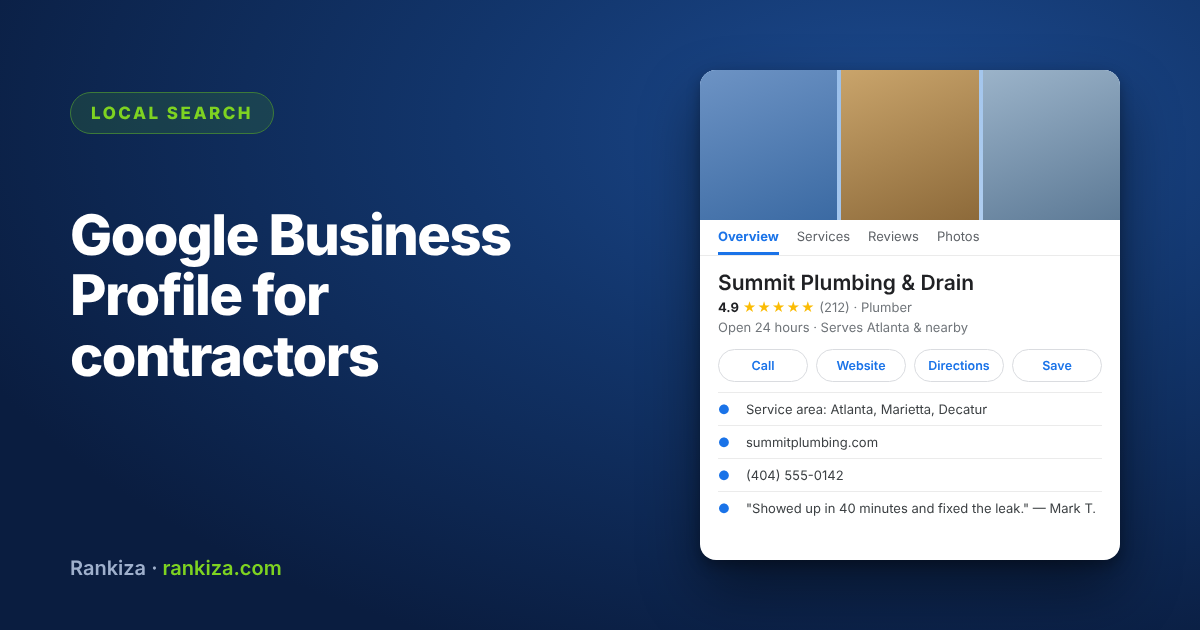
For most home-service contractors, the Google Business Profile is the most valuable page on the internet. It is what shows up in the map results, next to your name, when someone nearby searches for what you do. It is free, it is yours to control, and plenty of businesses leave it half finished.
This is a practical guide to setting it up properly and keeping it healthy. I have set up and managed profiles for contractors in several trades, and the same handful of mistakes keep coming up.
Short answer: Set your primary category carefully, list your real services and service area, keep hours and phone accurate, add real photos regularly and collect steady reviews. Avoid keyword stuffing in the business name, because it can get the profile suspended.
Start with the basics, and get them exactly right
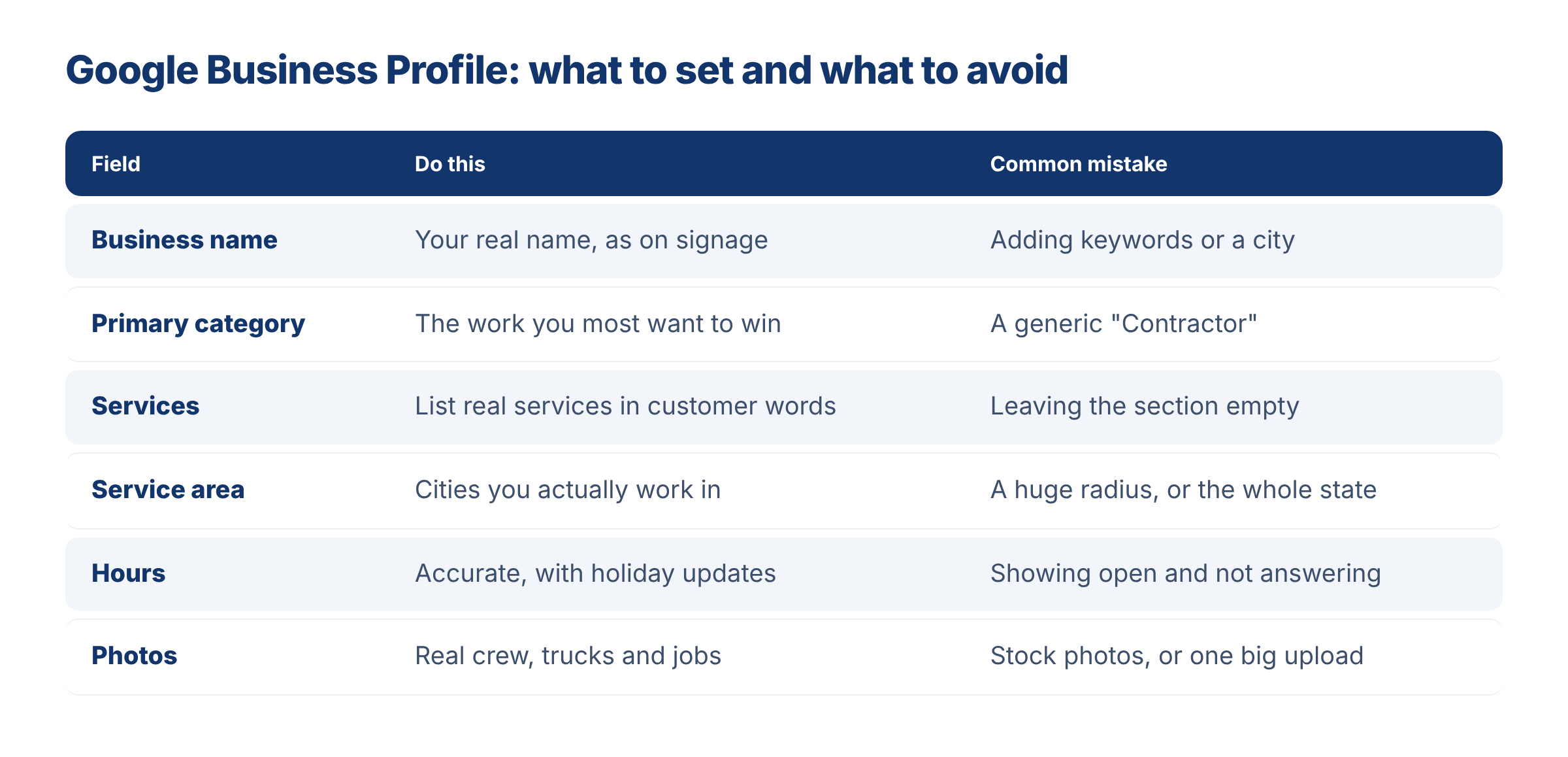
Your name, address and phone number are the foundation. Use your real business name as it appears on your signage and paperwork. Adding keywords to the name, like “Best Cheap Plumber Charlotte”, is against Google’s guidelines and is one of the quickest ways to get a profile suspended. The phone number should be one that is answered. If you use a tracking number, keep your main number as a secondary one so the information stays consistent across the web.
If you work from home and do not serve customers at an address, set the profile as a service-area business and hide the address. Do not use a mailbox or a virtual office as a fake location. Google can and does remove those.
Choose the primary category with care
The primary category is the strongest signal you give Google about what you are. A profile for a plumbing company should usually have “Plumber” as the primary, with secondary categories such as “Water heater installation service”, “Drain cleaning service” or “Emergency plumber” if they match what you actually do. Choose the category that describes the work you most want to win, then add the rest as secondary. Do not add categories for things you do not do.
Fill in services and the service area
The services section lets you list what you offer, with a short description for each. Use the words customers use: “water heater replacement”, “sewer line repair”, “furnace tune-up”. Keep descriptions plain and specific. For the service area, list the cities and neighborhoods you really work in. A large radius that includes towns you never visit does not help you rank there, and it can confuse customers.
Hours, including holidays and emergencies
If you answer emergency calls, set 24-hour or extended hours only if it is true. Showing as open and not answering is worse than showing as closed. Update special hours for holidays. A profile that is wrong on a holiday weekend, when emergencies spike, loses calls at the worst moment.
Photos that show real work
Real photos build trust and help the profile feel alive. Upload your logo, a clear cover photo, pictures of your trucks and crew, and before-and-after shots of finished jobs. A few good ones each month is better than a bulk upload followed by nothing. Avoid stock images and heavy filters.
Reviews: the signal that moves most
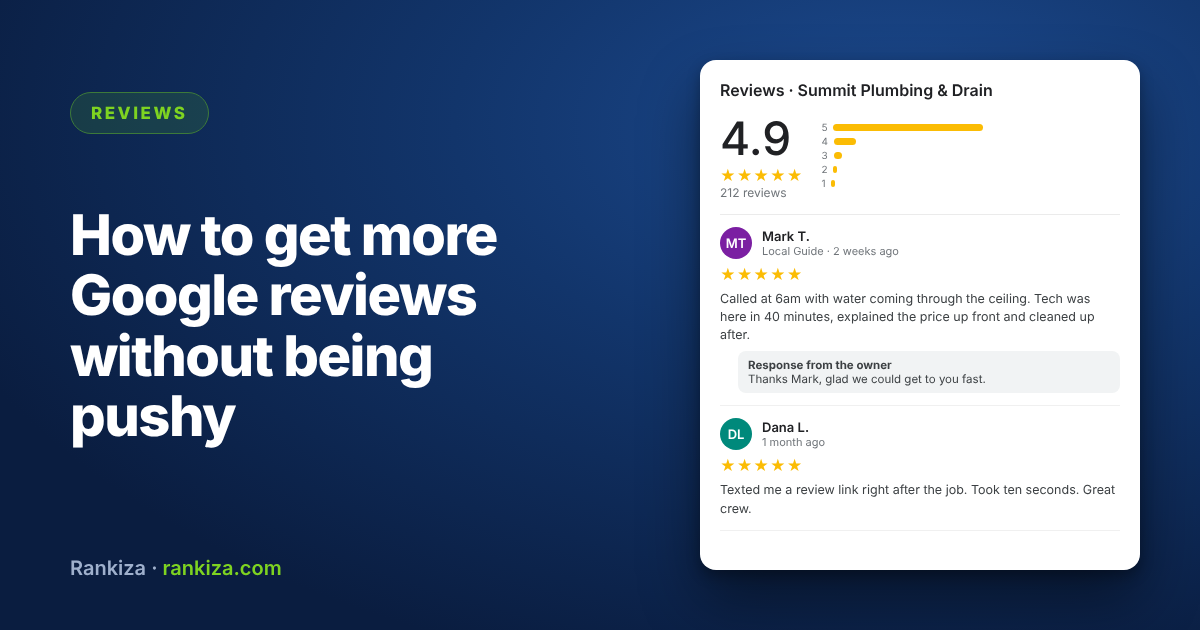
Review count, rating and recency all affect how you look to customers, and they feed the prominence part of local ranking. The sensible approach is to ask every satisfied customer, right after the job, with a direct link to your review form. Two rules to respect: Google does not allow you to offer rewards in exchange for reviews, and it does not allow selective asking that screens out unhappy customers, often called review gating. Ask everyone, and respond to every review, positive or negative, politely and specifically.
I wrote a separate guide on this: how to get more Google reviews without being pushy.
Posts, questions and the small signals
You can publish short updates on the profile, such as a finished project, a seasonal reminder or an offer. They are not a ranking cheat code, but they show the profile is maintained and give customers something current to read. The Q&A feature is worth checking too, since anyone can ask a question on your profile and anyone can answer it, including competitors. Seed it with the real questions you hear most often and answer them yourself.
Connect the profile to your website
Your profile links to your website, and the website should confirm what the profile says. Use the same name, address and phone number. Create a page for each main service and city and link the most relevant one from the profile where Google allows it. The website checklist covers the page side.
Common mistakes I see
- Keywords stuffed into the business name.
- The wrong primary category, often something generic like “Contractor”.
- A phone number that goes to voicemail or an old line.
- Duplicate listings from past moves or old agencies.
- No owner access, because an agency or former employee created the profile. Make sure the profile belongs to you and that you are listed as an owner.
- Ignoring negative reviews instead of answering them.
Measure it
Inside the profile you can see how many people called, requested directions or visited your website. Check these monthly, and compare against your own call logs. If the profile reports calls that you cannot find in your phone records, something is wrong with the number or the tracking. To turn those numbers into decisions, use the monthly numbers I use to judge whether marketing is working.
If you would like a quick review of your own profile, the Lead Leak Audit includes a look at your Google listing against the top competitors in your area.
What I’d do first
- Confirm you are an owner of the profile and that nobody else controls it.
- Fix the name so it matches your real business name, with no keywords added.
- Check the primary category and add the secondary ones that really apply.
- List your real services and service area, and set accurate hours.
- Add 10 real photos, then plan to add a few every month.
Frequently asked questions
How do I rank higher in the Google map results as a contractor?
Google uses relevance, distance and prominence. You can influence relevance with accurate categories and services, and prominence with reviews and a strong web presence. Distance is outside your control.
Can I add keywords to my Google Business Profile name?
No. The name should match your real business name. Adding keywords violates Google guidelines and can lead to suspension.
How many reviews do I need?
There is no magic number. Aim to have a steady stream of recent reviews and compare yourself with the top three results in your area.
Can I hide my address on Google if I work from home?
Yes. If you serve customers at their location, set up a service-area business and hide the address. Do not use a fake or shared address.
I'll check your website, Google profile, phone setup, follow-up, reviews, and ads and tracking. Free, no obligation.
Get my free audit
Growth marketing consultant for US home-service contractors. In digital marketing since 2012, 60+ businesses, $1.4M+ ad spend managed. More about me.